SMS, with you holding the phone.

An SMS gateway on localhost. Your application sends through the native API, the Twilio-compatible one or a plain GET, and the message lands in the panel, which plays the phone. You reply, copy the code and pick the failure: numbers ending in 0001 to 0005 reproduce the carrier's errors. Every status and every reply comes back as a webhook.

docker run --rm -p 127.0.0.1:8899:8899 ghcr.io/instituto-ama/sms-mock:latest
SMS MOCK
replay of a run
  1. 29/10/2026
  2. POST /v1/messages 201
    AMA → +5511912340010
    "Seu código Ama é 482913"
    UCS-2, 1 segment, code 482913
  3. webhook message.status queued
  4. webhook message.status sent
  5. webhook message.status delivered
  6. POST /_mock/sms/inbound 201
    +5511912340010 → AMA4DEVS
    "CONFIRMAR"
  7. webhook message.inbound received
    "CONFIRMAR"
  8. POST /v1/messages 201
    AMA → +5511912340001
    "Seu código Ama é 730144"
  9. webhook message.status sent
  10. webhook message.status failed
  11. (30003) Unreachable destination handset

A real run of the image: the code goes out through the API and a webhook follows every status, the phone's reply comes back as a webhook, and the number ending in 0001 fails with the carrier's code 30003. The accent in "código" alone puts the message in UCS-2. Only the paper is drawn.

Which port it runs on.

The SMS mock answers on port 8899: the panel, the API and the live feed share it. Bound to 127.0.0.1, so only your machine reaches it.

WhatAddressHow to change it
Panel, API and /wshttp://localhost:8899SMS_PORT in .env moves the host port; the container always listens on 8899
Health checkhttp://localhost:8899/healthsame port
With docker run-p 127.0.0.1:8899:8899another host port: -p 127.0.0.1:8898:8899
With make up MOCKS=sms127.0.0.1:${SMS_PORT:-8899}SMS_PORT=8898 in .env
Without Dockerbun src/server.ts in mocks/smsPORT=8898 in the environment

The other mocks keep their own ports, so they can run side by side: WhatsApp 3010, Asaas 45445, generator 45450, Mailpit 8025. When another service already holds 8899, publish the SMS mock on a free host port and point your app at it.

It starts with the Asaas mock.

In this repository the root make up brings the SMS mock up together with the Asaas mock, the generator and Mailpit. There is nothing to configure: the Asaas mock finds the SMS mock by itself and sends the payer SMS to it.

How it comes up

make up                 # the asaas profile: SMS mock, Asaas mock, generator, Mailpit
make up MOCKS=sms       # only the SMS mock

Put SMS_ENABLED=0 in .env to keep the SMS mock down; the Asaas mock then finds nobody to send to.

How the Asaas mock finds it

The Asaas mock (version 0.11.0) looks for the SMS mock where it usually answers: the compose service name sms (then sms-mock), this machine, and the Docker host — always on port 8899. It posts the payer SMS to POST /v1/messages with the sender ASAAS, for the same charge events as its e-mails and its WhatsApp messages, and only for the customers that have a mobile phone.

A run, verified

A charge for “Maria Souza” produced this SMS in the panel, and it ended delivered:

ASAAS → +5511987654321
Maria Souza: Conta Principal gerou uma cobrança de R$ 120,50 (Consulta), com vencimento em 10/11/2026. Ver fatura e pagar: …
status: delivered
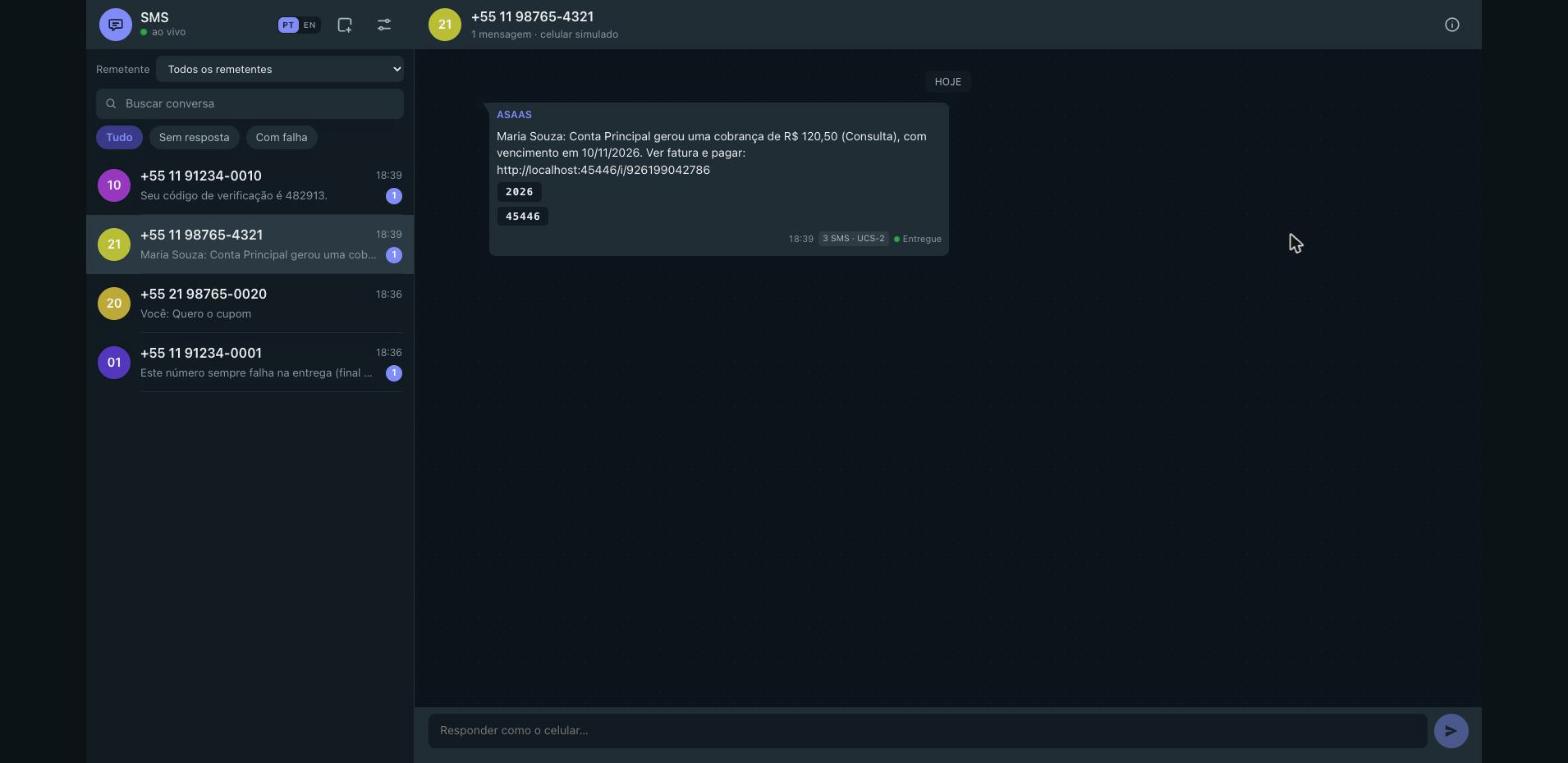
The panel of the SMS mock: the conversation with +55 11 98765-4321, where the SMS the Asaas mock sent to the payer sits delivered, with the sender ASAAS.

What it gives.

Everything you need to test SMS notifications, authentication codes, delivery reports, and two-way conversations locally.

Capability Description Detail
Lifecycle Automatic transitions: queued → sent → delivered Configurable delay via SMS_DELIVERY_DELAY_MS (default 1500 ms) or manual stepping
Magic numbers Deterministic failures based on the last 4 digits of the recipient number 0001 failed, 0002 undelivered, 0003 rejected (400), 0004 stuck, 0005 filtered
OTP extraction Identifies 4–8 digit verification codes from message bodies Surfaced in JSON response, long-poll queries, and one-click copy chips in the panel
Encoding & segments Full GSM-7 and UCS-2 segment calculation 160/153 chars for GSM-7; 70/67 chars for UCS-2 with emoji and Unicode support
Twilio API Drop-in compatibility for Twilio SDKs and HTTP clients /2010-04-01/Accounts/{sid}/Messages.json with form body and status callbacks
Webhooks Signed delivery receipts and inbound notifications Dispatched on lifecycle events and inbound replies; signed with HMAC-SHA256
Live panel Interactive phone-inbox web UI over WebSocket (/ws) Conversation threads, an OTP chip that copies the code, a details drawer with the JSON and the status history, the reply composer, and a control panel with the delivery, webhook, event, magic-number and API tabs

Use cases.

From verifying OTP login flows in automated test suites to testing carrier failures and webhook retries, the mock handles common communication patterns without third-party services.

Test an OTP login flow

When testing authentication or passwordless login, your test suite can send a verification SMS and read back the generated code via the long-polling query endpoint without polling loops or arbitrary wait timers. The extracted code is also available in the codes array.

curl -X POST http://localhost:8899/v1/messages \
  -H 'Content-Type: application/json' \
  -d '{"to":"+5511912340010","body":"Your verification code is 481920"}'

curl 'http://localhost:8899/v1/messages?to=%2B5511912340010&wait=5000'
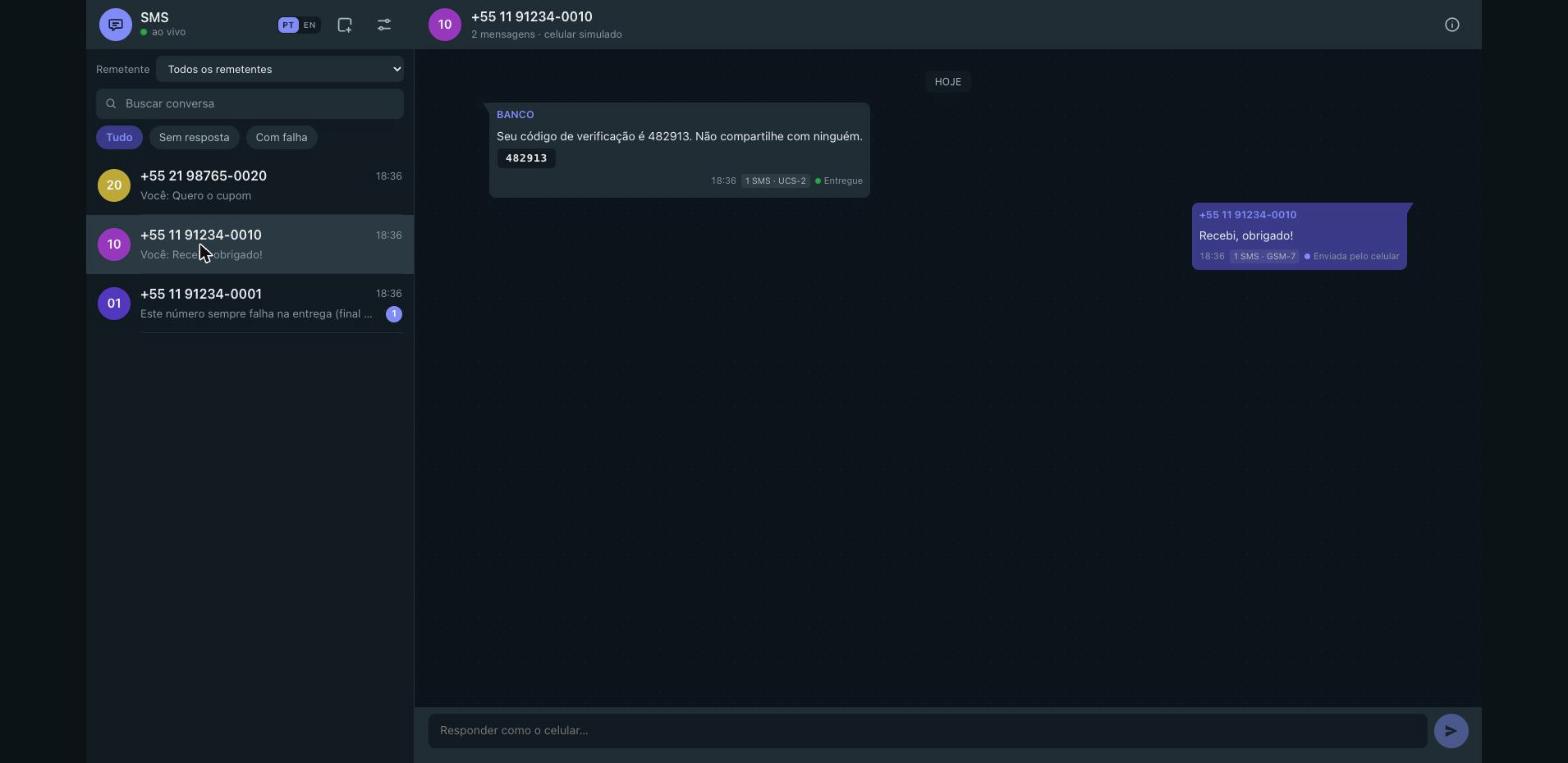
The panel with the conversation of +55 11 91234-0010: the SMS the application sent with the code chip 482913, and the reply the handset sent.

Test delivery failures

Trigger carrier errors and delivery status changes deterministically using the last 4 digits of the recipient number. Test how your application responds to undelivered SMS, blacklisted numbers, or immediate API rejections without changing server code.

# 0001: fails delivery with error 30003
curl -X POST http://localhost:8899/v1/messages \
  -H 'Content-Type: application/json' \
  -d '{"to":"+5511912340001","body":"Test failure"}'

# 0003: rejected immediately by the API with HTTP 400
curl -X POST http://localhost:8899/v1/messages \
  -H 'Content-Type: application/json' \
  -d '{"to":"+5511912340003","body":"Test rejection"}'
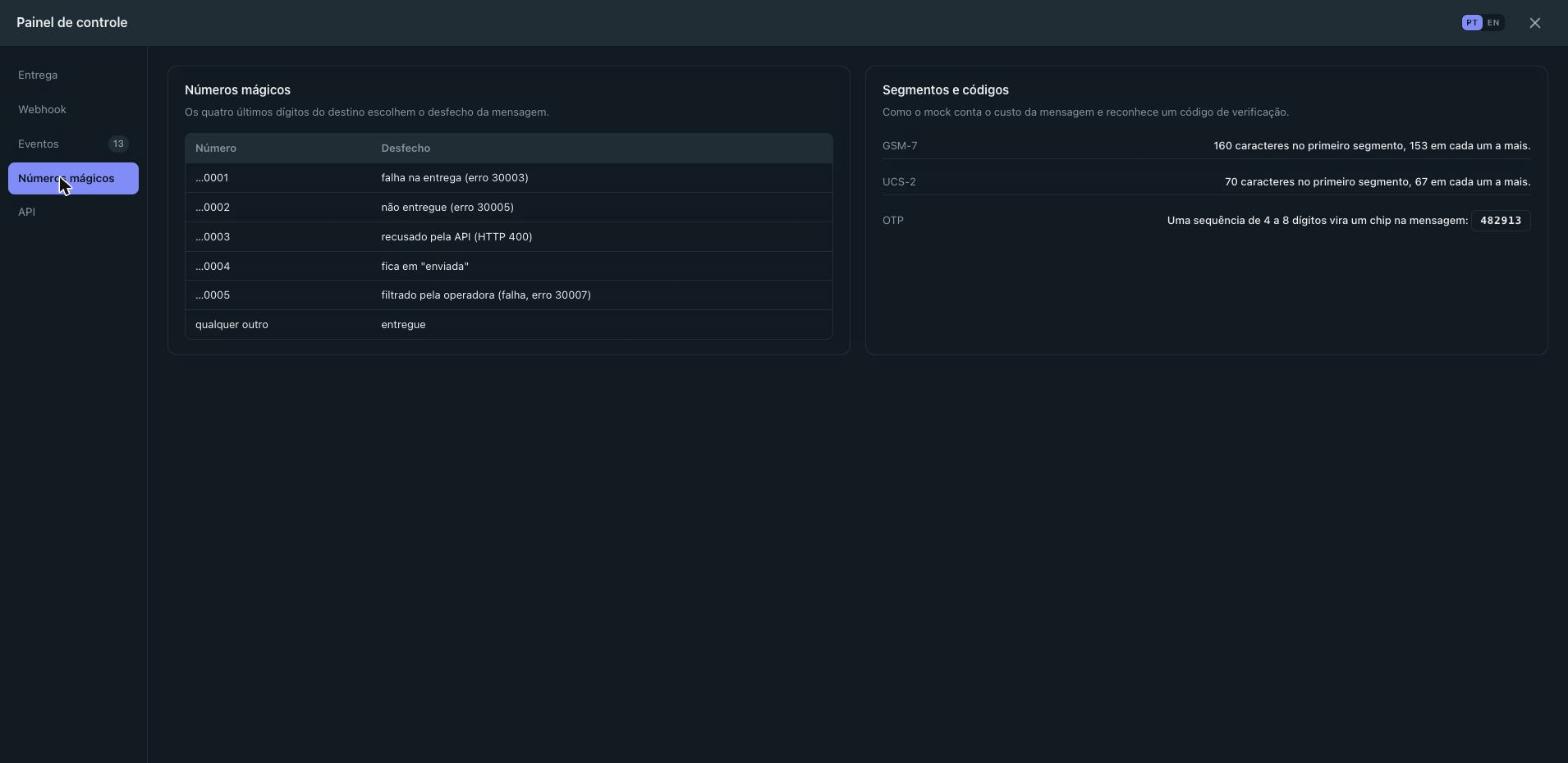
The magic numbers tab of the control panel: the table of the endings that stage a failure, with the rules of the segments and of the OTP.

Step the delivery by hand

Proves your application when the handset takes its time: with the delivery in manual mode the message waits in the queue, and every bubble of the panel can be moved by hand to delivered, failed or undelivered.

curl -X PUT http://localhost:8899/_mock/sms/settings \
  -H 'Content-Type: application/json' \
  -d '{"autoDeliver":false}'
# the message stays queued until you move it
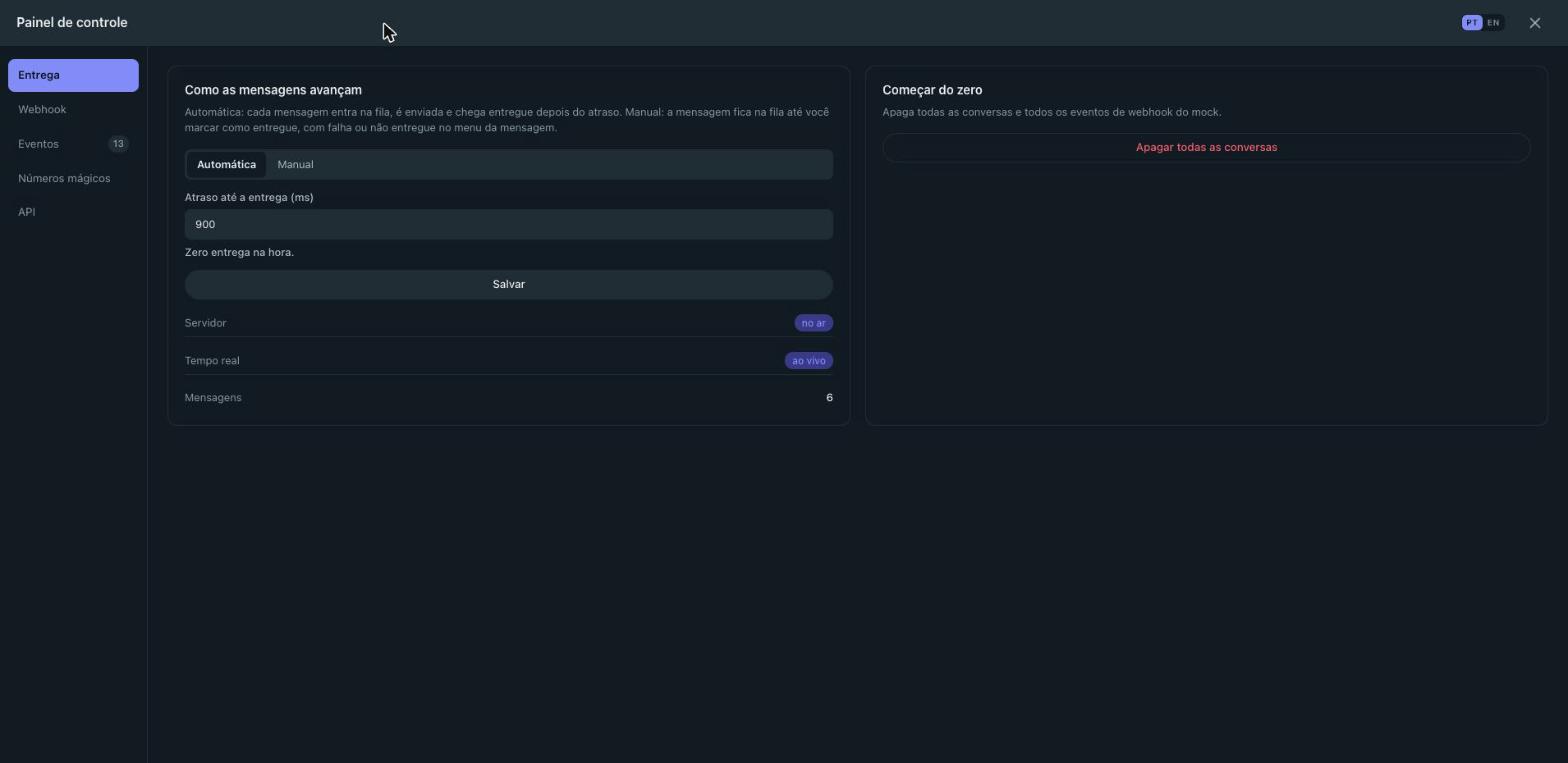
The delivery tab of the control panel: automatic or manual, the delay until delivery in milliseconds, and the button that starts from zero.

Test webhooks

Verify that your application handles delivery receipts and inbound messages correctly. Provide a callbackUrl per message or configure SMS_WEBHOOK_URL. Webhooks include the x-sms-signature header when SMS_WEBHOOK_SECRET is configured. You can also simulate an inbound reply from a handset:

curl -X POST http://localhost:8899/_mock/sms/inbound \
  -H 'Content-Type: application/json' \
  -d '{"from":"+5511912340010","body":"SIM"}'
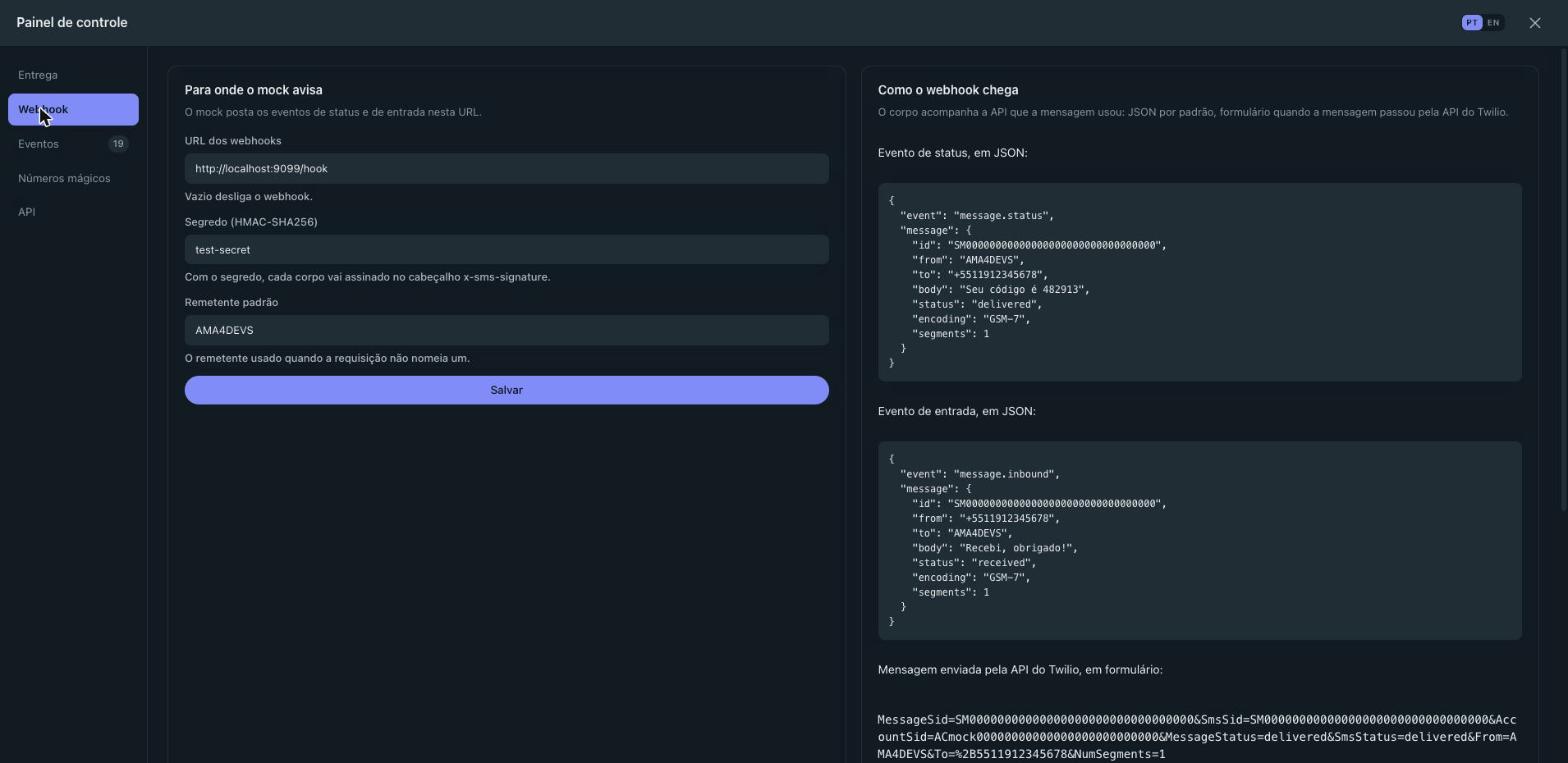
The webhook tab of the control panel: the URL the events go to, the secret that signs them, the default sender and the shape of the status and inbound payloads.
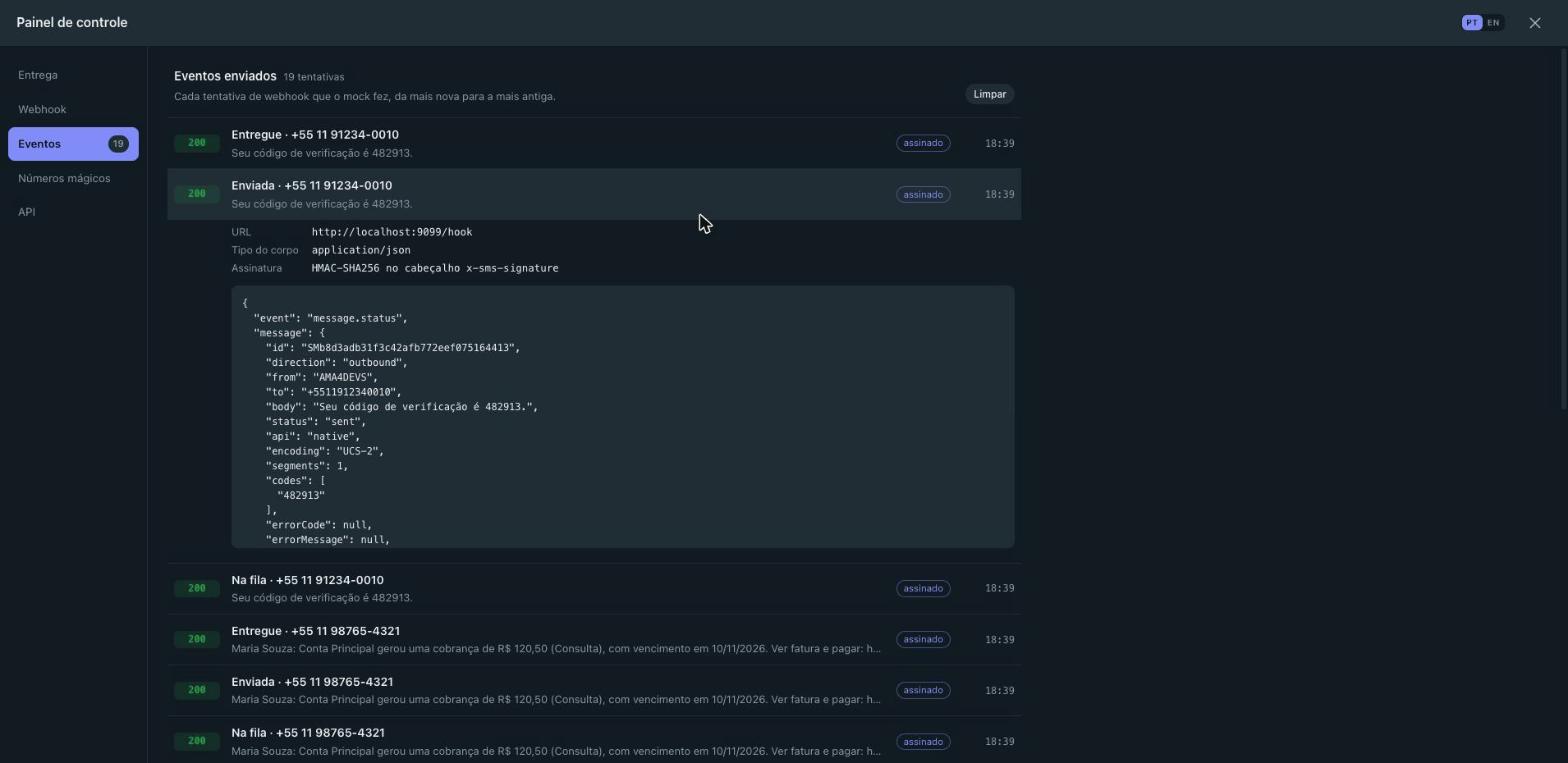
The events tab of the control panel: every webhook attempt, with its body, the answer code and the signature.

Point a Twilio SDK at the mock

Reuse your existing Twilio integration by overriding the API base URL to http://localhost:8899. The mock accepts Twilio form-encoded requests, authenticates mock credentials, and delivers status callbacks formatted to Twilio standards.

curl -X POST http://localhost:8899/2010-04-01/Accounts/ACmock/Messages.json \
  -u ACmock:mocktoken \
  -d "To=+5511912340010" \
  -d "From=AMA4DEVS" \
  -d "Body=Testing Twilio compatibility"

The API, inside the panel

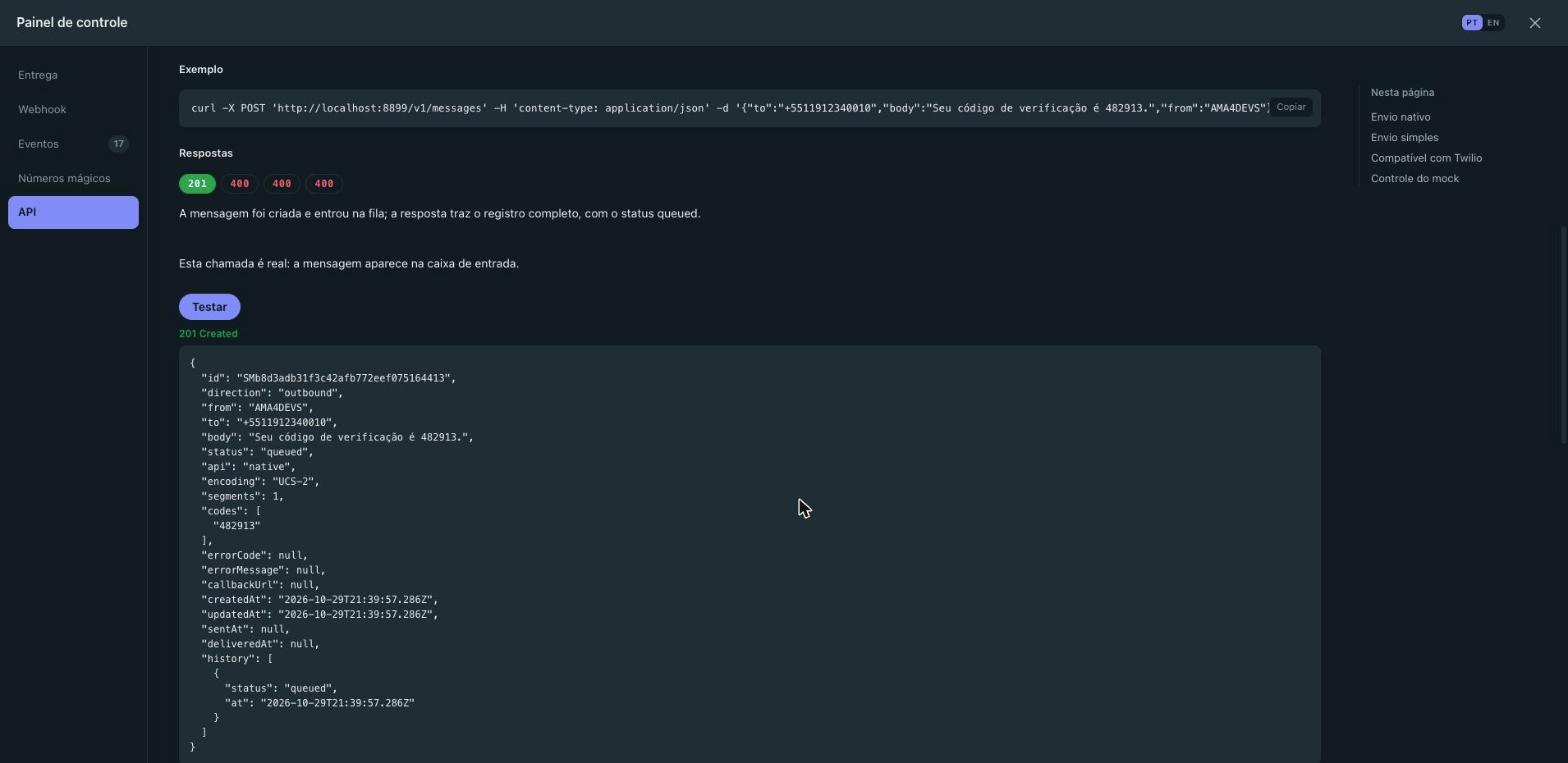
Proves your client against the real contract: the control panel carries the whole catalog of the API — 20 operations, with the parameters, the body fields, a curl and every documented answer — and a Testar button that sends the request for real and shows the answer.

The API tab of the control panel: an operation of the catalog with its curl, its answers and the result of the test button.

The API in one table.

A lightweight HTTP server with zero runtime dependencies. Includes native JSON endpoints, Twilio compatibility, simple send routes, and internal control tools. The full reference of the API, with every parameter and every documented answer, is on its own page.

Method & Route Response / Description
GET /health {"status":"ok","service":"sms","version":"0.2.0"}
GET / Phone-inbox web UI and WebSocket live updates at /ws
POST /v1/messages Send outbound SMS ({to, body, from?, callbackUrl?}) → 201 Message
GET /v1/messages List messages (?to=&from=&status=&direction=&wait=&limit=)
GET /v1/messages/:id Retrieve message by ID → 200 Message or 404
DELETE /v1/messages/:id Delete message → 204 or 404
POST /2010-04-01/Accounts/:sid/Messages.json Twilio-compatible message creation → 201 Twilio Message JSON
GET /2010-04-01/Accounts/:sid/Messages.json Twilio-compatible message listing with pagination
GET|POST /sms/send Simple endpoint with query or form (to, message, sender)
GET|PUT /_mock/sms/settings Get or update runtime settings (deliveryDelayMs, autoDeliver, etc.)
POST /_mock/sms/inbound Simulate an incoming SMS reply from a handset → 201 Message
POST /_mock/sms/messages/:id/status Manually update message status (sent, delivered, failed)
POST /_mock/sms/reset Clear all stored messages and delivery receipts → 204
GET|DELETE /_mock/sms/webhooks/deliveries Inspect or clear webhook delivery attempt logs
POST /_mock/sms/demo Seed the inbox with representative demo conversations → 201